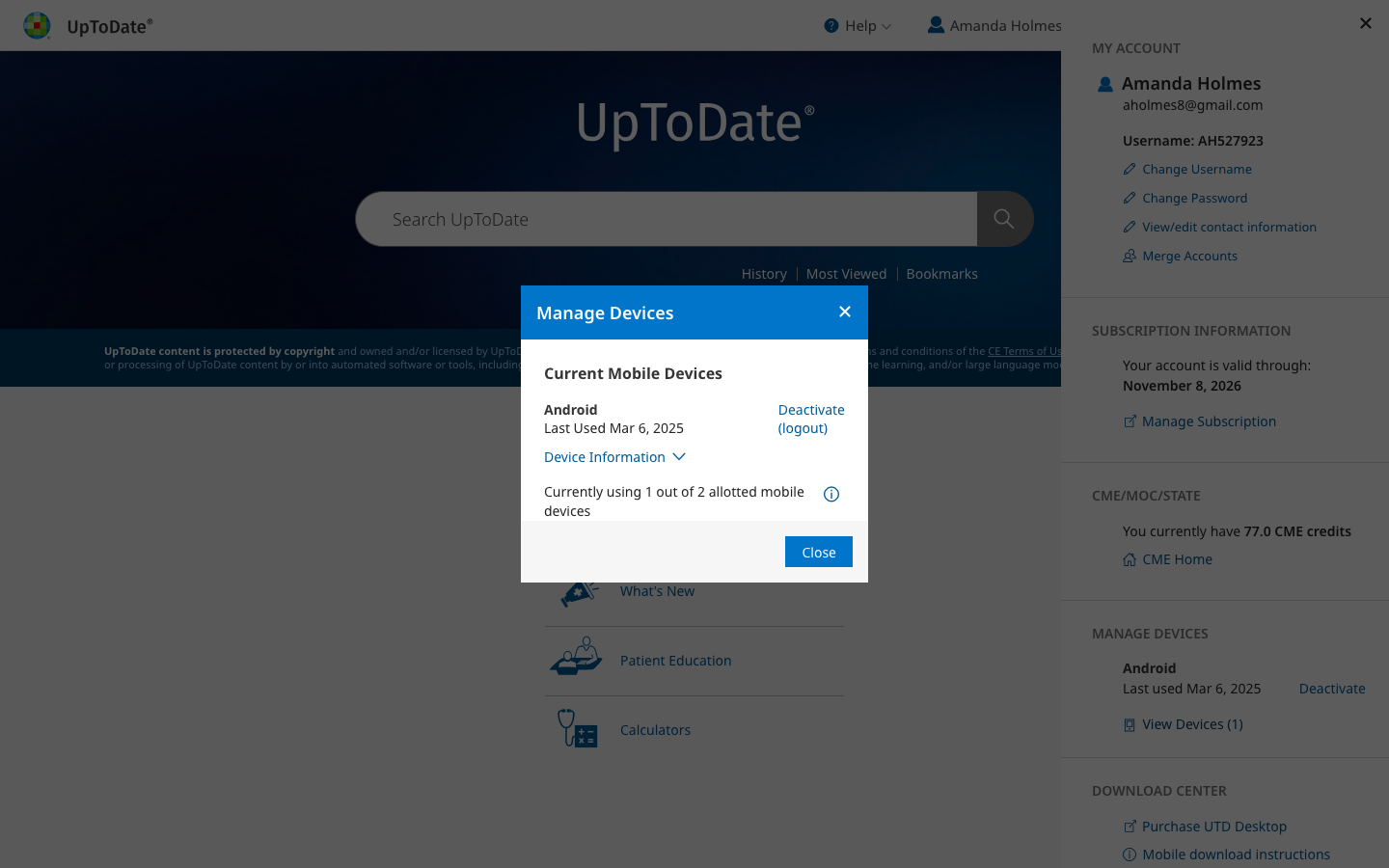
My Account: Redesign
Project Overview
I redesigned the “My Account” section of UpToDate, where users can change their username or password, manage their devices, and change other account settings.
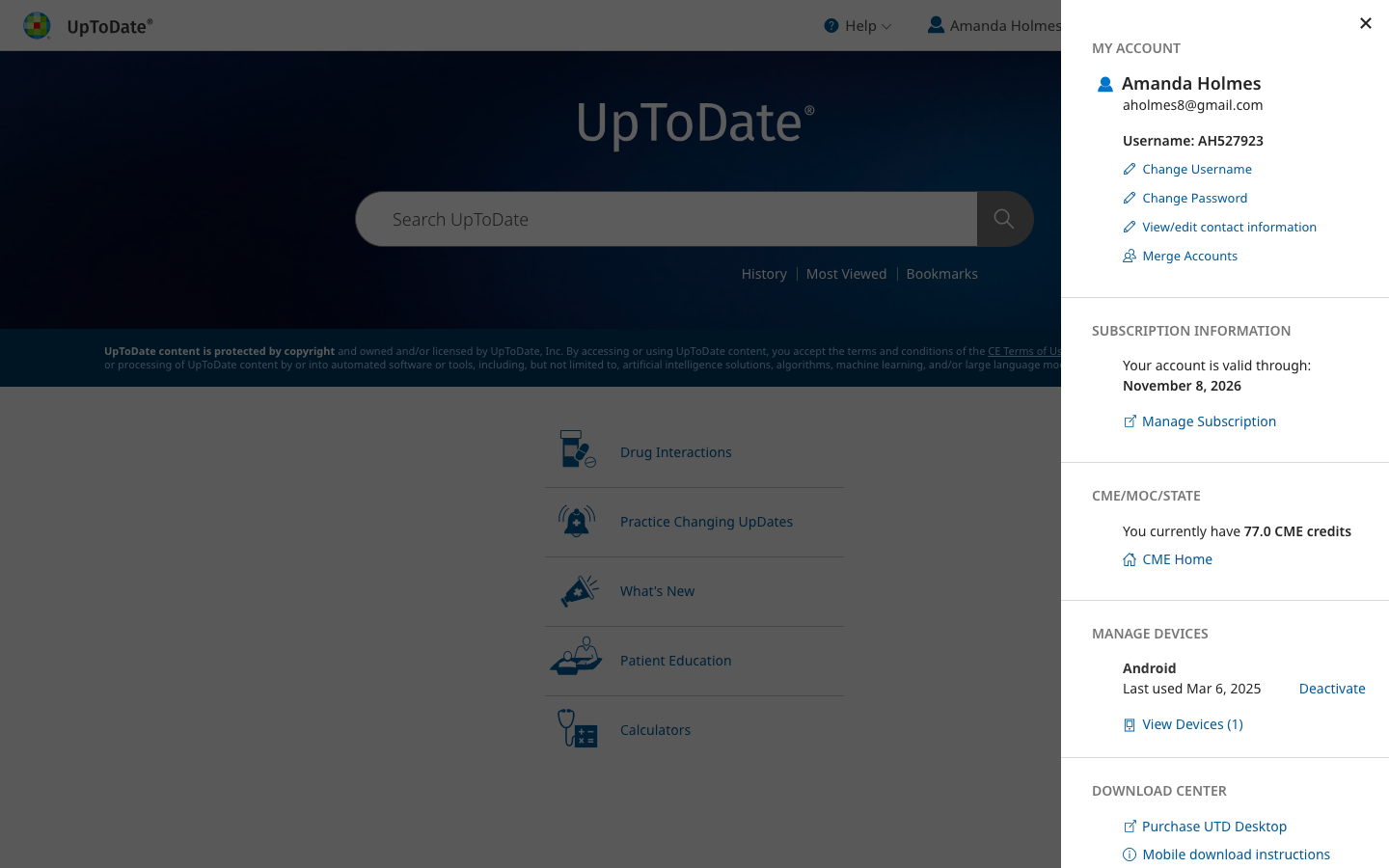
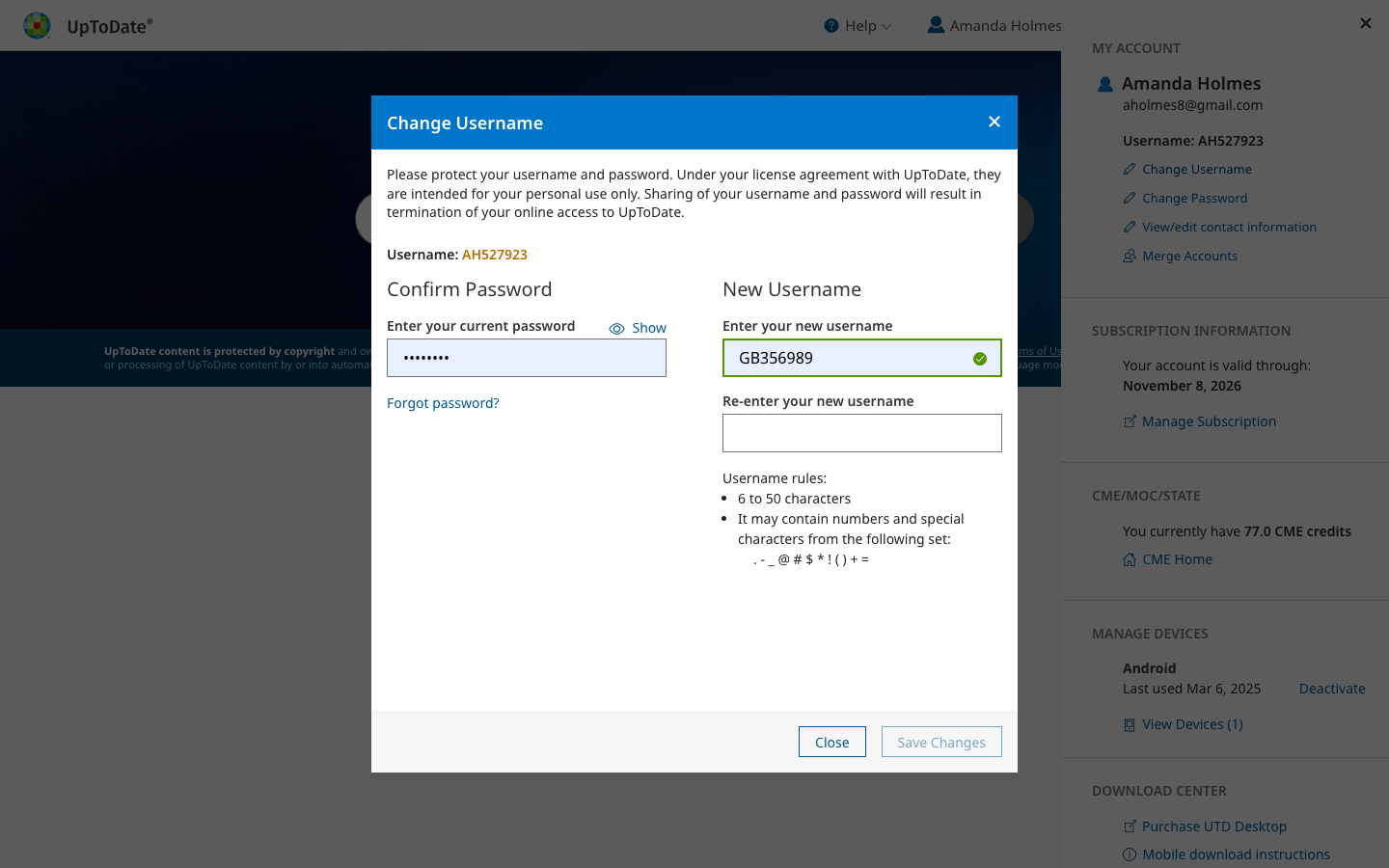
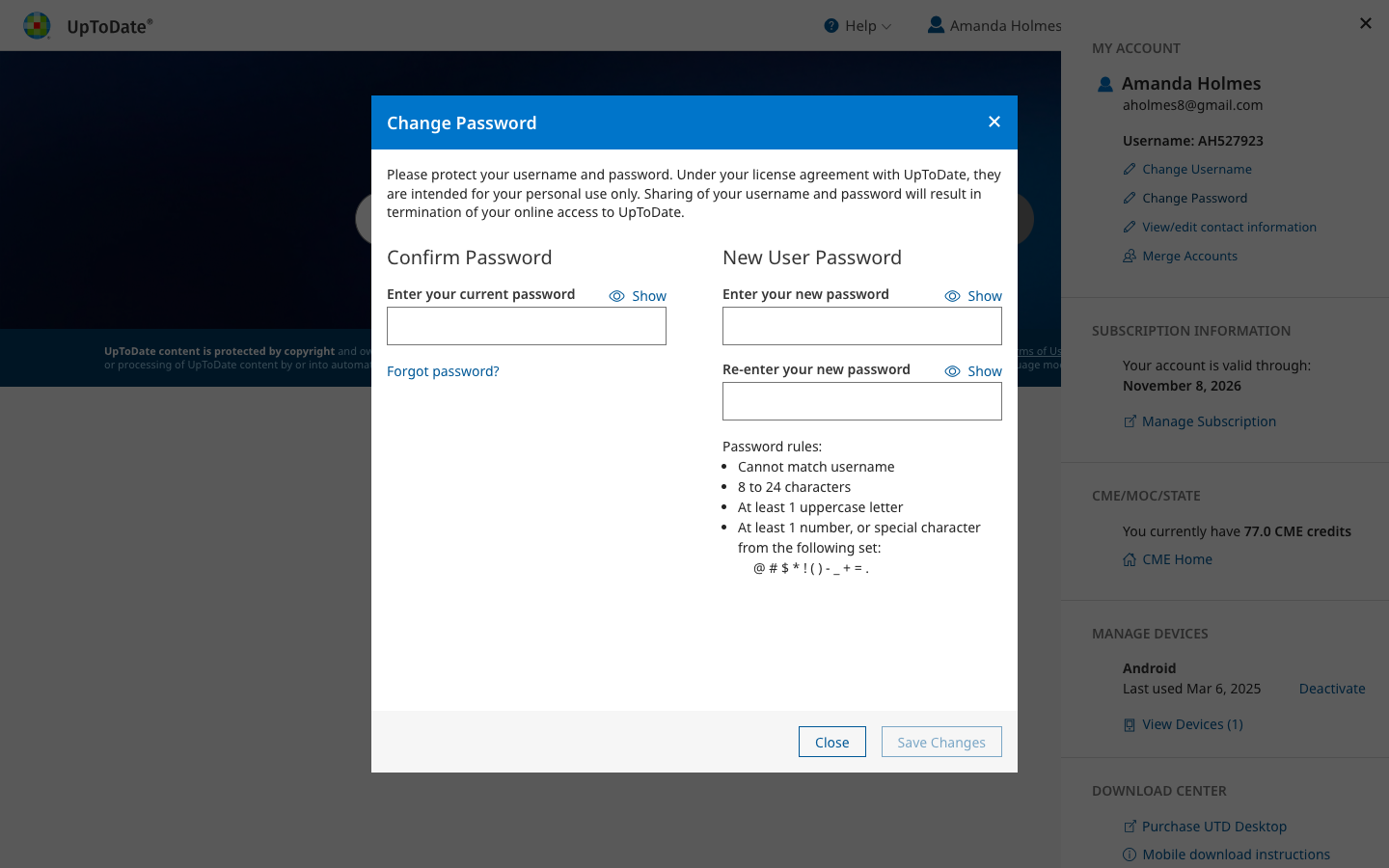
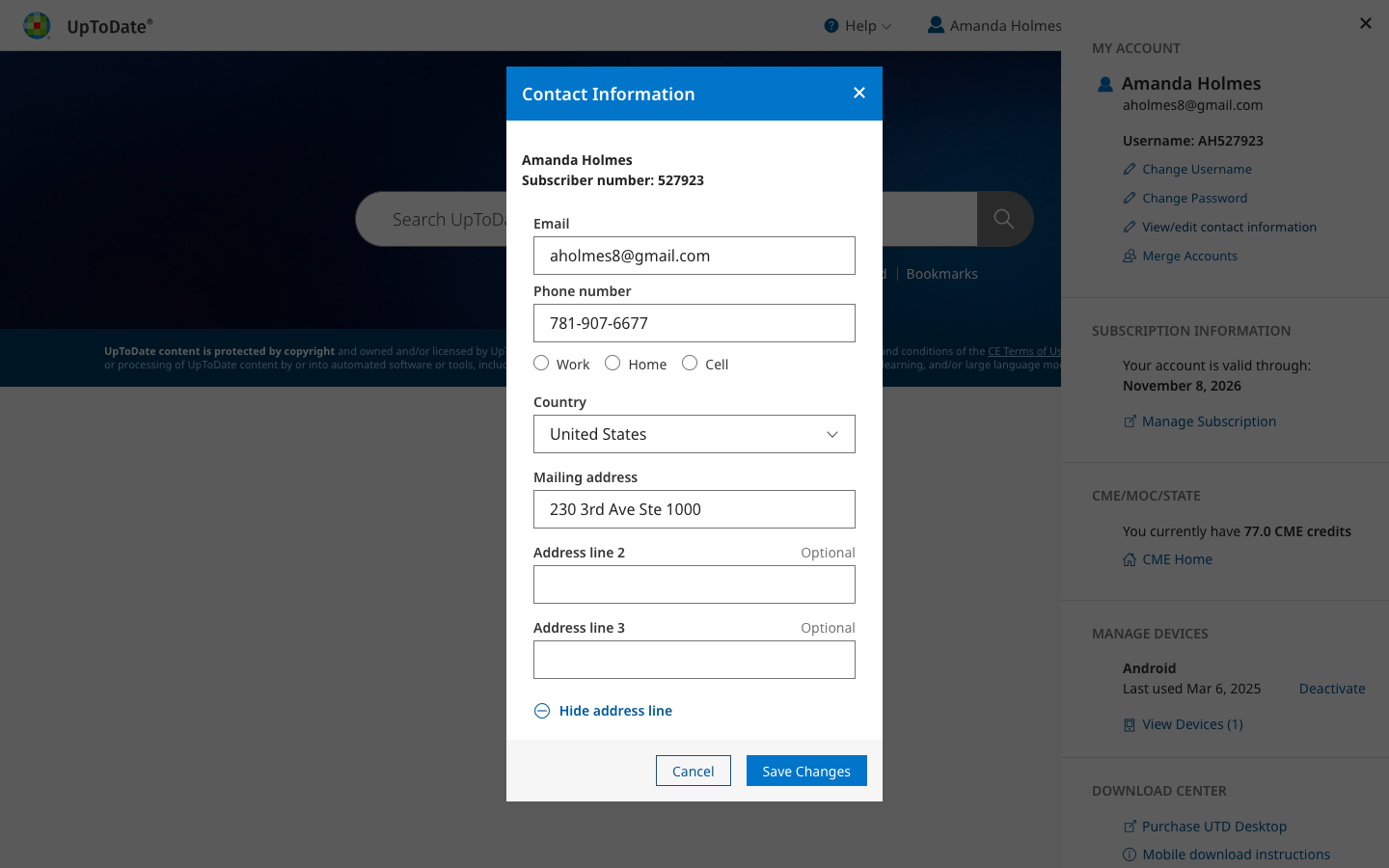
The final design moved to a more modern style of a flyout menu and modals.
Background
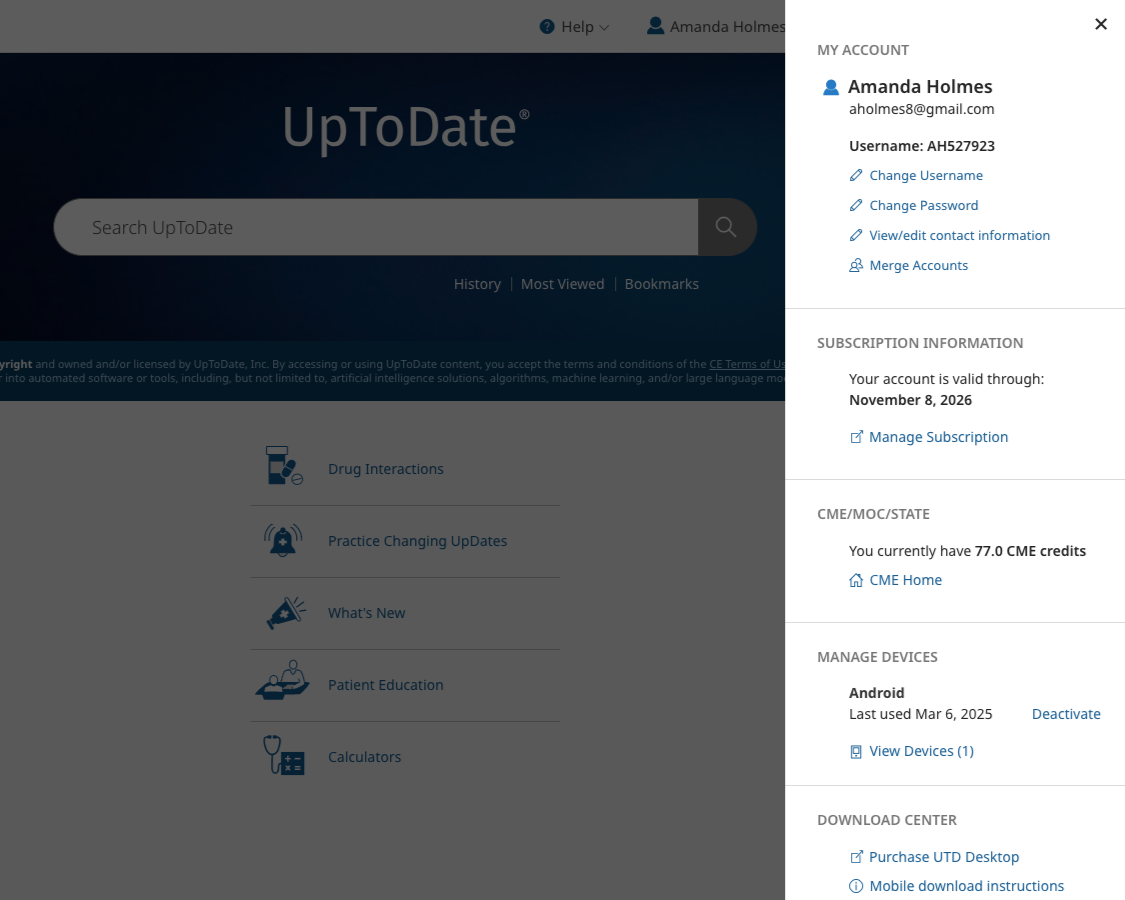
This project was part of an engineering initiative to redo the back end of this section of UpToDate. I was able to join the project and work with engineering to redesign the front end.
The old design had several issues/concerns:
Out of date with our new/current branding and design system
Not very intuitive to users
The organization and navigation were not clear
Initial Evaluation and Brainstorming
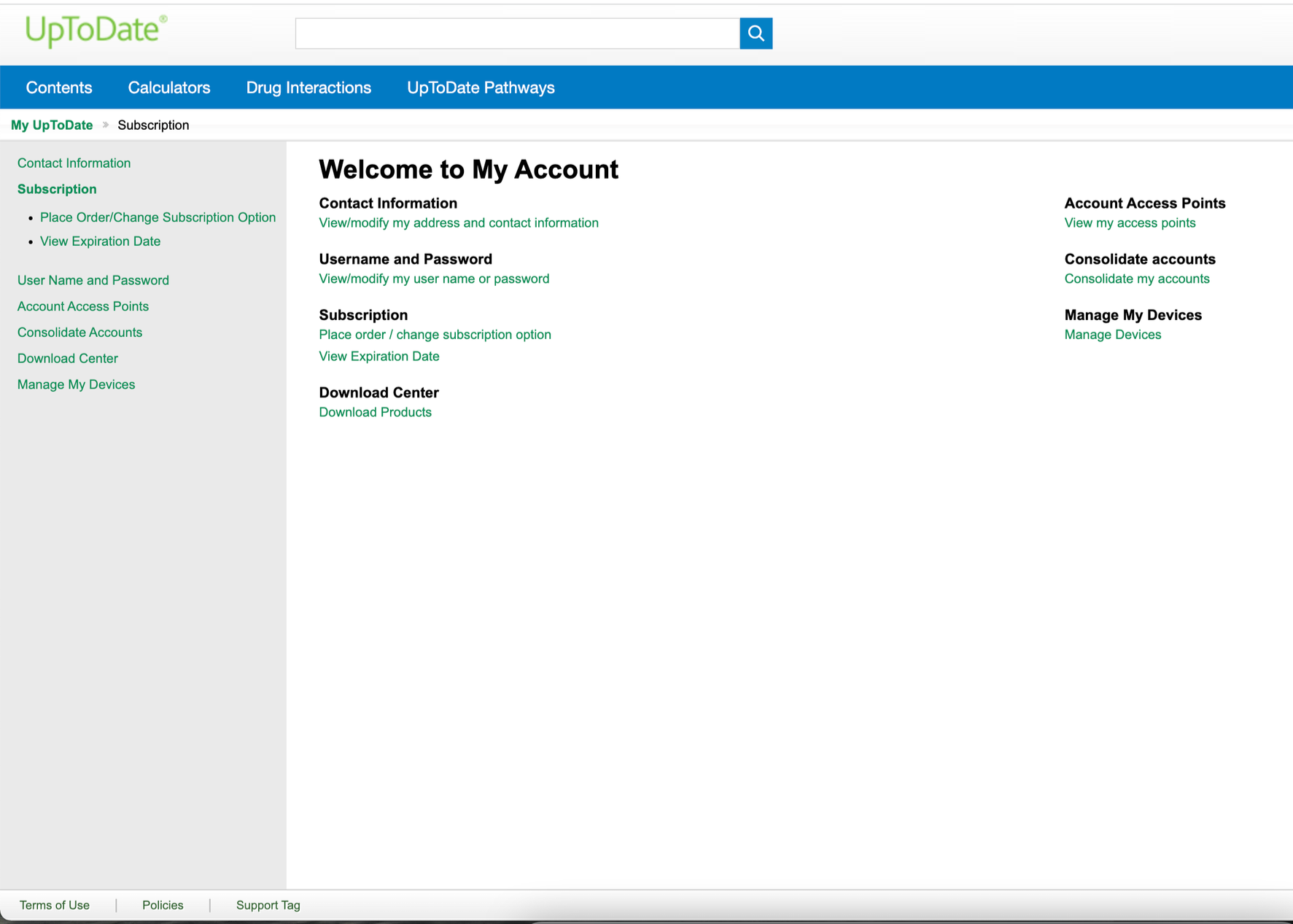
First, I evaluated the current My Account pages for general usability, information architecture, and visual appeal/brand alignment.
My initial designs were focused on reorganizing the information into more logical pages and sections.
Design Iteration: Flyout and Modals
After reviewing with my team, we decided to change the approach from a classic account page with a side menu, to a flyout menu with modal screens for each section.
This was for several reasons:
It felt more modern, and similar to other design features in UpToDate
It's more simple for users to access, and doesn't navigate them away from their current task/page
My Account is a very task-based section, where users will typically open it to complete one task (e.g. change password), then return to their usual activity
Therefore, there was no need for a landing page and side menu
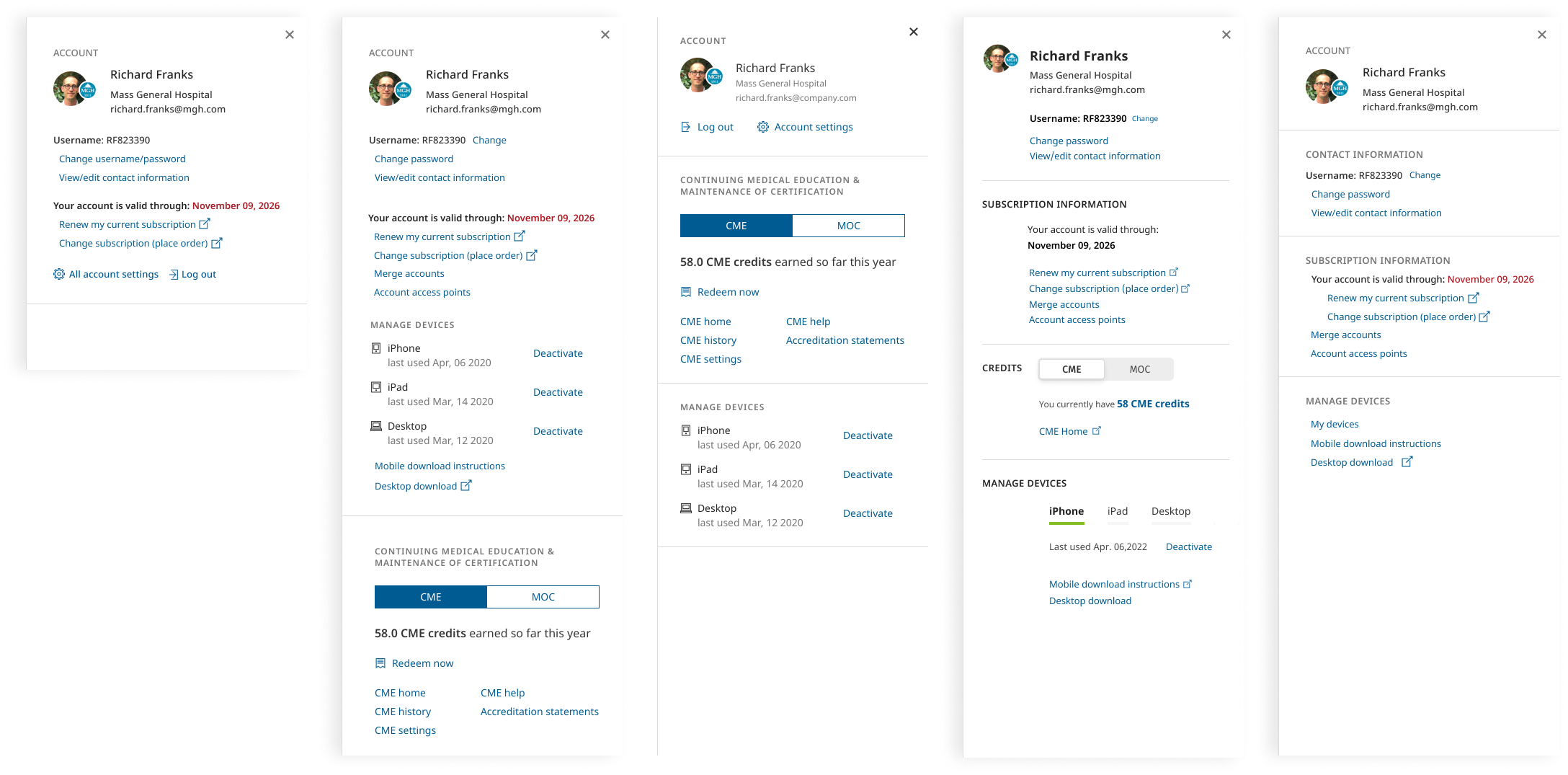
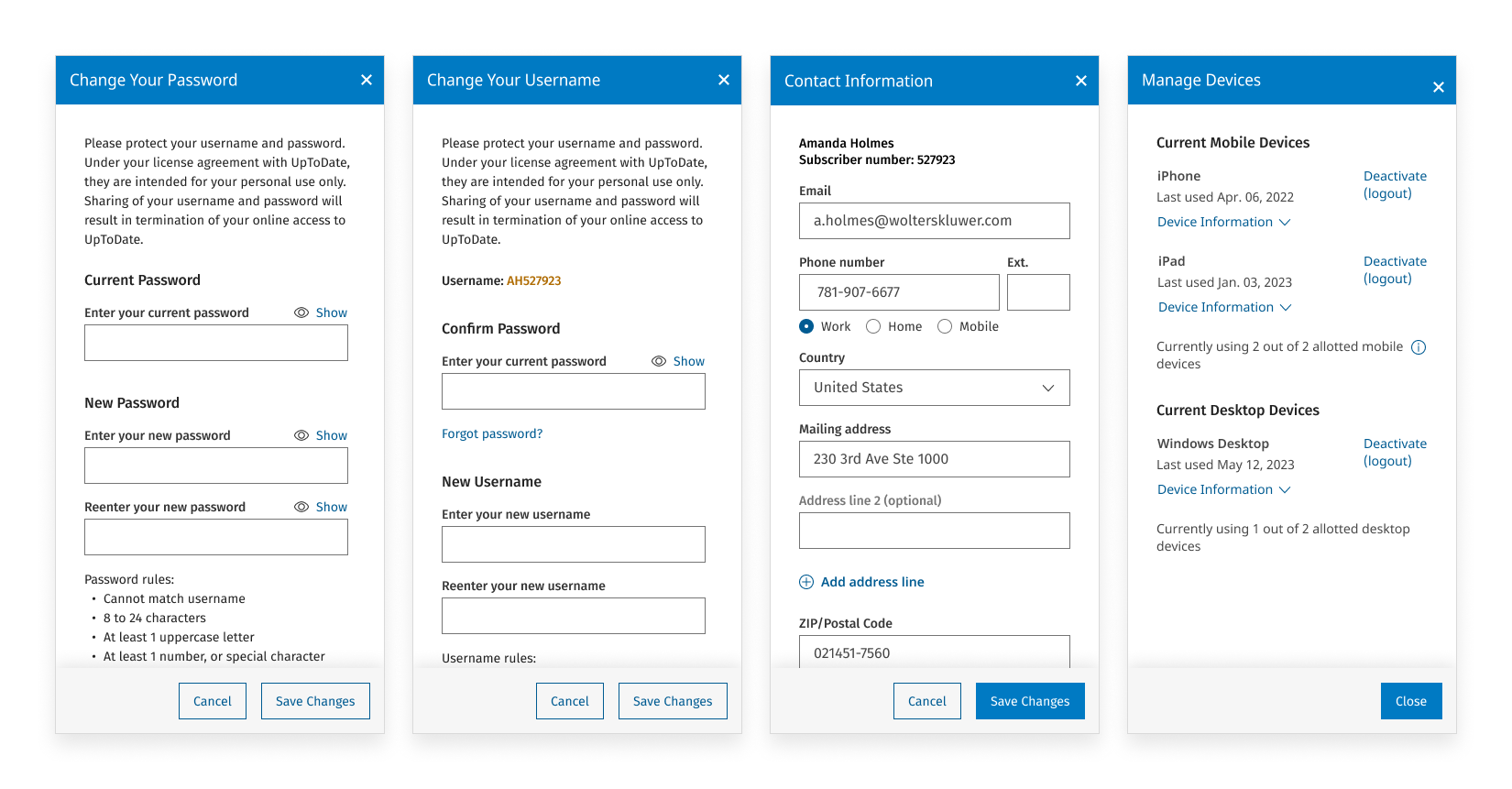
I worked with our visual designer to explore multiple iterations of the flyout menu, and started designing the modals that would pop up when a user selects a task:
Design Challenge: Account Types
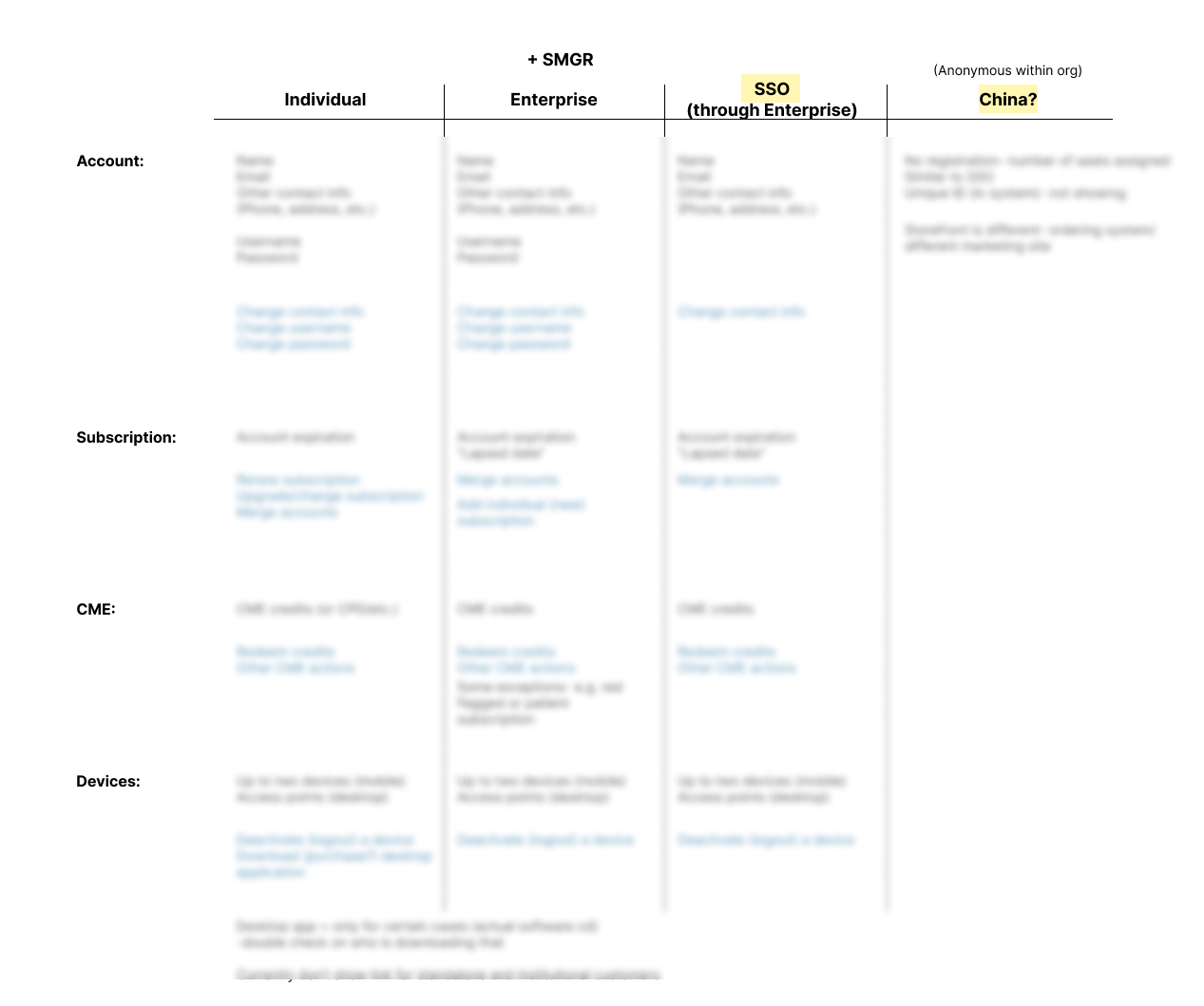
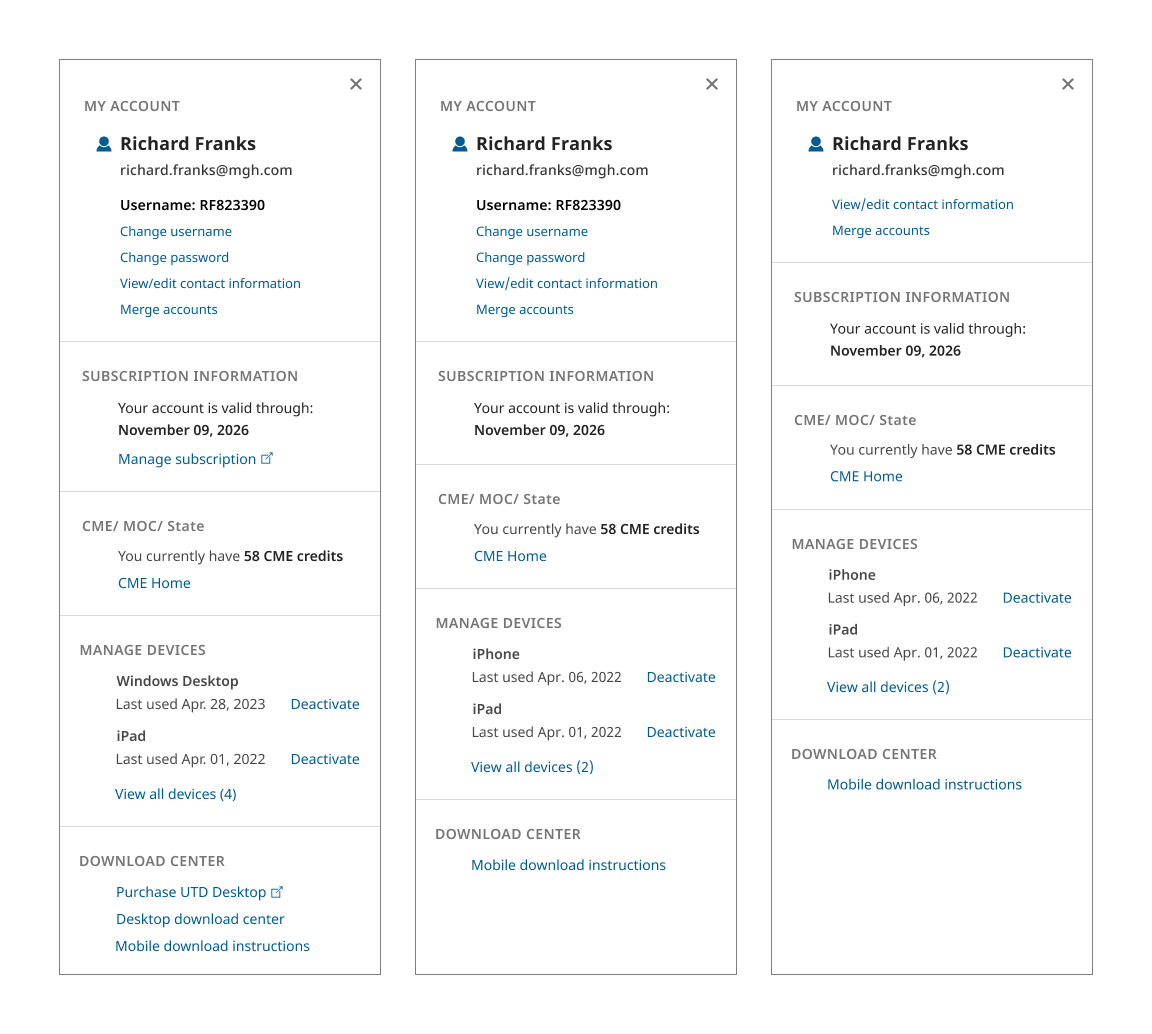
Late in the design iteration process, we learned that there were several user/account types in the system, which would have different needs, and information displayed in their menu. I created a chart to map out the different account types, and collaborated with the product team and engineering to successfully create new variations of the user menu.
Final Designs
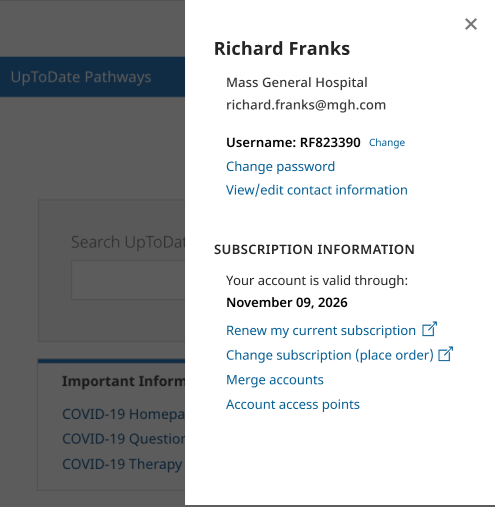
The final implementation of this section allows users to quickly and easily access their account settings, review their information, and make changes, without disrupting their current task.